Review Comments (0) Screenshots (8) Questions & Answers (0) Votes (1) Awards (8) Wiki  
(1)
Program4Pc
5.3
This link has been deleted, because the target site may harm your computer.
Shareware
$29.95
324 people
Download PC Video Converter...

19.89 MBDownloaded 709 times

 
Video tutorial for PC Video Converter Studio 5.1
Frame
This video tutorial has been acquired from Downloadtube.com
McAfee SiteAdvisor warning
McAfee SiteAdvisor web reputation analysis found potential suspicious behavior on the developer's website, which may pose a security risk. Proceed with caution. Click here to see McAfee SiteAdvisor report.

Review

This is official description

PC Video Converter Studio is designed for converting any video files. Conversion process between AVI, DivX, XviD, MPEG1, MPEG2, VCD, SVCD, DVD, WMV, ASF, MOV, RM, RMVB, 3GP, 3G2, FLV, MKV, iPod, iPhone, Zune, PSP, Mobile, Pocket PC, Zen, Flash video, M4V, and MP4 formats.
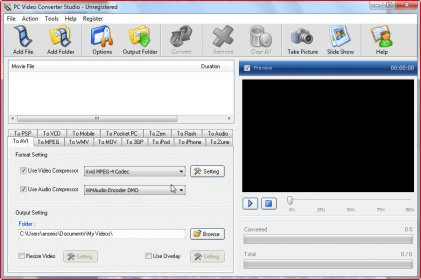
You get a lot of control over the files you are converting. PC Video Converter Studio includes ability to change screen resolution, audio format, and frame rate. This video converter application can easily perform batch conversions among the most popular codecs. Drag-and-drop functionality is provided to transfer video files into the main window.
 
The following review written by one of the Software Informer contributors applies to version 5.1

PC Video Converter Studio is an award winning application that can help you to create videos for your Iphone, Ipod, Zune player, PSP and multimedia mobile phones. You can convert almost all video formats including popular DivX and MP4 formats. A video preview helps you to convert the right video file.

The rest of the features like custom video resolution, custom bit rate and video frame rate, audio channels and audio bit rate are very common and well known. You can add folders to the conversion list to save your precious time.
PC Video Converter Studio can automatically turn your PC off after the conversion is completed.

One of the best and different features of this tool is its slideshow creator that helps you to manage all your BMP, JPG and GIF images by creating interactive slideshows with background music. You can also export the slideshow to VCD or AVI video for later use.

The program's intuitive interface and a screen shot maker, make this tool perfect video converter and a must have video tool.
  • All the popular video formats are supported.
  • Built-in slideshow creator tool.
  • Easy to use.
  • None.

Reviewed by: Jasminder Singh

Reviewer rating:

Reviewed: 2 years ago

What's new in version 5.3

MKV, RM, RMVB support file format added

What's new in version 5.1

MKV, RM, RMVB file formats added.

What's new in version 5.0

Supporting conversion to iPhone, Zune, PSP, Zen, Pocket PC, Mobile, and Flash Video format added;. Application interface improved;.
Report a wrong version Report a wrong program title Suggest a correction

Screenshots

Main window Main window Main Window Main Window Slide Show Creator Slide Show Creator Screenshot Tool Screenshot Tool
All 8 screenshots

Latest comments


There are no comments, be the first one!
Add new comment

E-mail Address:

Password:

Register now »

Forgot password?

Sign in with:
Download Software Informer Client
Copyright © 2012, Informer Technologies, Inc. About| Privacy and terms| Help| Feedback & Support| Partners program